Max Scheduler can be used for Shipping Door Scheduling
|
Max Scheduler is scheduling software that is a step-up from using manual tools like spreadsheets, wallboards or piles of paper.
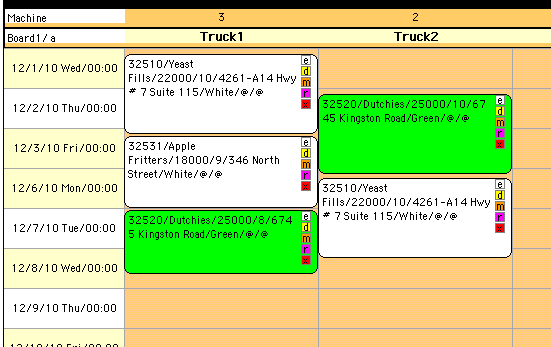
Max Scheduler can import a list of outgoing shipments from another office system (accounting, Access, WMS, ERP, job-shop, etc.). Next assign loads to doors taking into account capacity constraints such as time, physical space or volume of work. Once the schedule is created it can be published as a set of webpages to keep others informed of shipping area operations. Scheduling changes can be made quickly using a mouse with drag and drop. The graphical schedule is easy to read and can show the important load details.
Max Scheduler has other notable features mentioned below, here is a full list of scheduling software features.



If you have any questions or problems feel free to give us a call at 416-702-7387. We'll help you figure out if MaxScheduler fits your needs, if it doesn't we'll tell you so!
"Max Scheduler was the right size, elegant solution, to help solve our immediate problem"
testimonial from Al Saltemachea, warehouse manager
|
|
Google Delivery Mapping
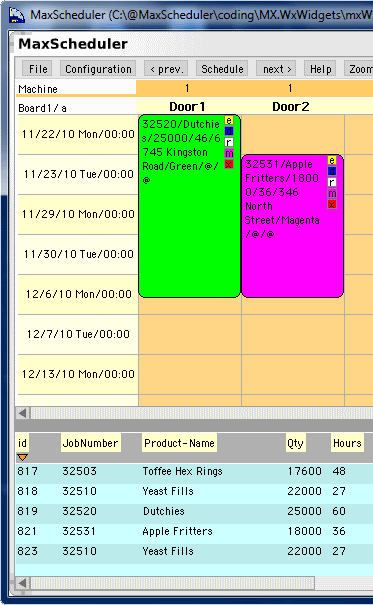
MaxScheduler can be used for delivery planning. The columns can represent truckloads and the items in the List view (blue bottom area) can be shipments. Drag and drop shipments on to the columns. The shipments can take up a variable amount and the order can specify the drop off sequence (first on, last off). For delivery planning the rows would represent the truck capacity, thus ignore the date/time stamp.
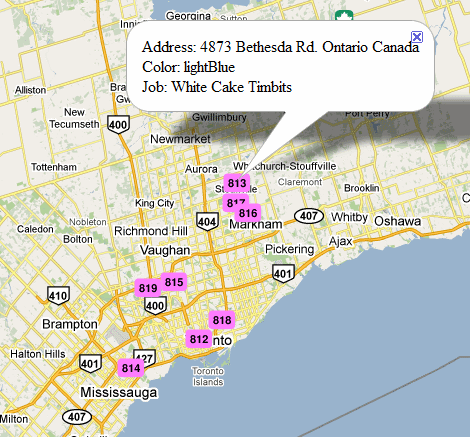
If there are address details with the shipments. MaxScheduler can generate a Google map showing the delivery locations. This can be useful for planning the delivery routes.
Import Job Data
Many organizations make use of Excel for scheduling or for managing lists of jobs. Here is a typical example:
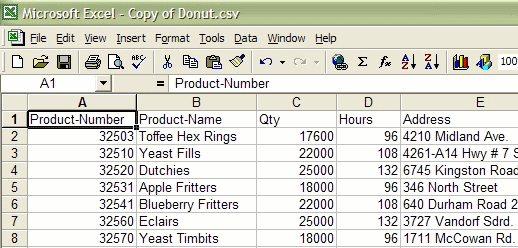
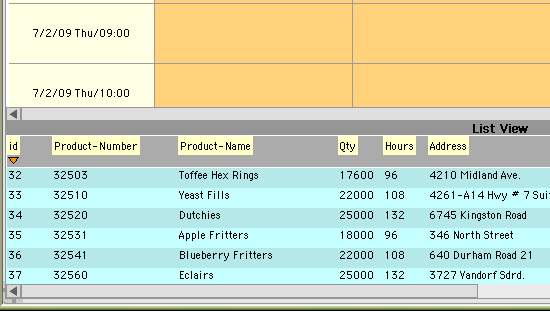
Its quite easy to get this data into MaxScheduler and start scheduling. MaxScheduler even has an auto-import configuration to make this easier, available through menu Configuration | Configure import automatically from file. Here is the above data, imported into MaxScheduler:
Schedule Published as Webpages
Once a schedule is created, its quite useful to share the updated schedule within your organization. There is a webpage publish feature available through menu Schedule | Publish all boards. The publish feature is great for keeping everyone updated with the latest schedule. For example a customer service representative can review the current schedule and immediately get back to a customer. They aren't required to walk to another office or chase down a manager for schedule updates.
When the schedule is published a schedule index is created which displays all the historic schedules with the latest at the top. Simple example of the schedule webpages.
Certified Quickbooks Scheduler
 Many small businesses in North America use Quickbooks accounting software. We visited a number of companies that were having challenges since Quickbooks products don't have a comphrensive scheduling feature.
We saw this as an opportunity and added a custom import feature to MaxScheduler to make it easy to connect a scheduler to Quickbooks. In August 2008, MaxScheduler received a Silver Level certification and is listed in the Quickbooks marketplace. This means MaxScheduler was tested by a 3rd party organization and passed a number of criteria to ensure MaxScheduler works with Quickbooks in a predictable manner.
MaxScheduler imports invoice data from Quickbooks through the click of a button. If your organization would like to import different types of data from Quickbooks, contact us. We can make the minor adjustment to the import process.
Drag and Drop Scheduling
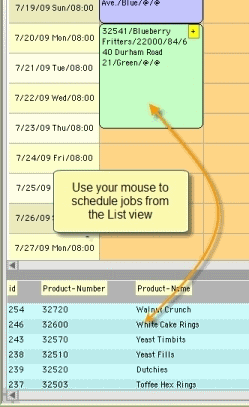 The best feature of MaxScheduler is how easy it is to schedule a job. There is List View at the screen bottom, which is a list of jobs to schedule. Click on a job and drag it to the resource and time you want to schedule for. Your done!
Many scheduling software products on the market require you to select dates and times from small, dialog boxes. Scheduling with MaxScheduler is intuitive, it is very similar to how you would schedule with a wall board, but with many additional benefits.
|
|
|